One console. Every cloud-Android tool your QA and security teams need.
Privara isn't just a de-emulated Android device — it's a full control plane around it. Spin one up in your browser and you get a command-whitelisted shell, a QA toolkit, live instrumentation, and two things no other cloud-Android platform ships: live device-identity rotation and residential VPN exit. Here's what each tool does, and what you can actually get done with it.
Get a real-behaving device, and drive it end to end
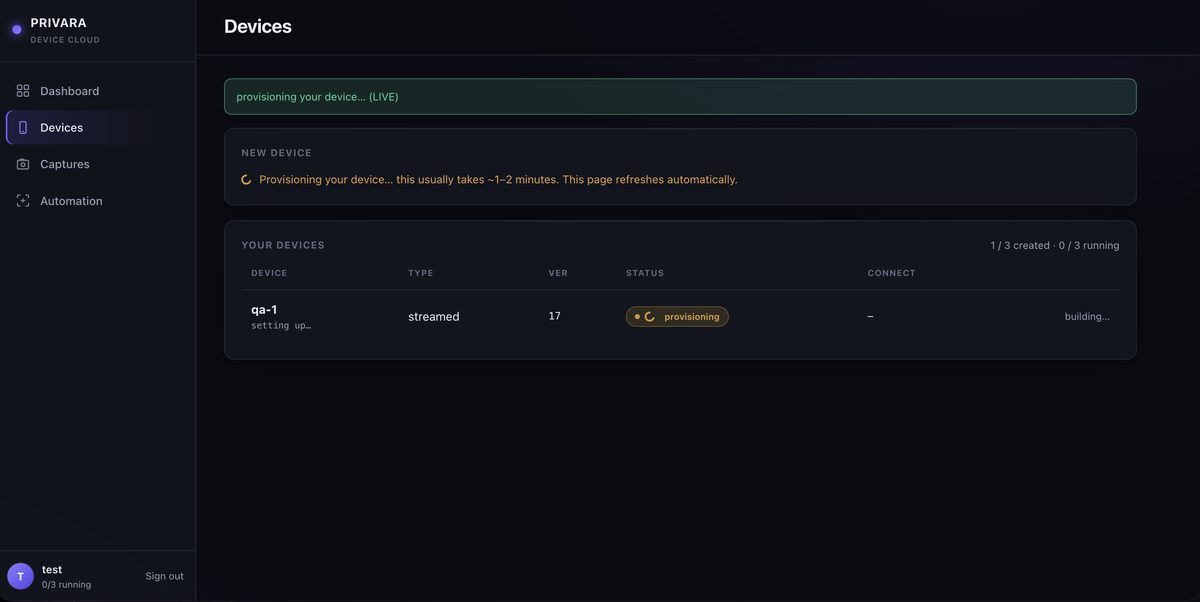
Spin up a device in one click
Create a de-emulated Android device from your browser and it powers on for you in a minute or two — no hardware to rack, no KVM to configure. Each one is a clean, isolated instance you can hand to a tester, wire into CI, or tear down when you're done. It's the fastest way to a real-behaving Android phone when an ordinary emulator gets blocked.
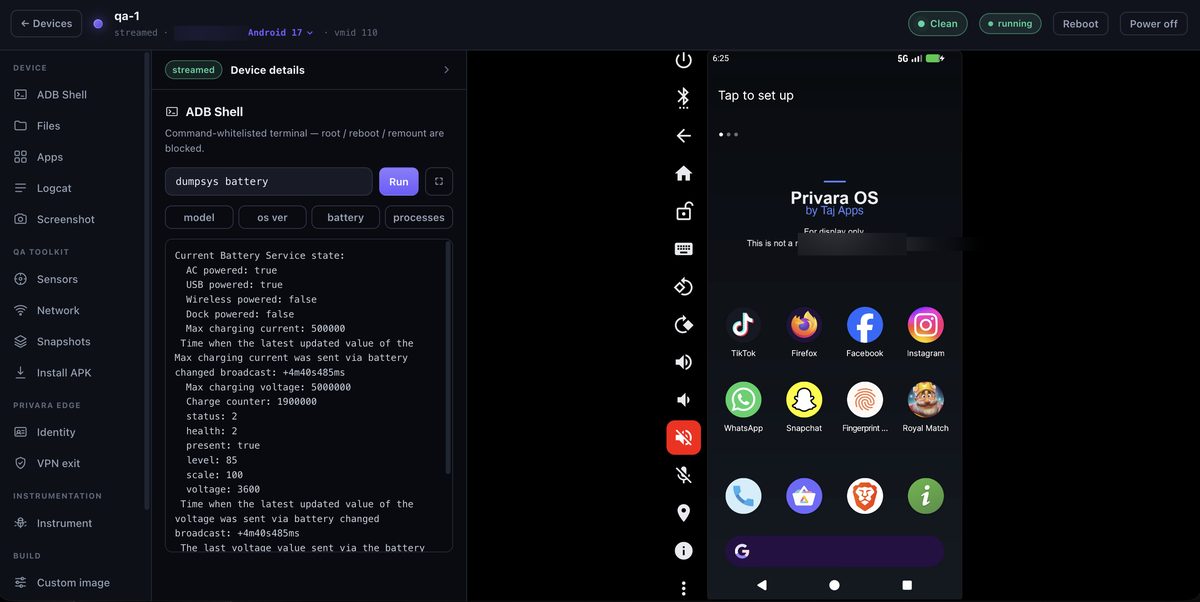
A full terminal, safely sandboxed
Drive the device from a command-whitelisted ADB shell — inspect properties, read logs, pull artifacts, script the boring parts — with root available but hidden and destructive commands blocked. The same ADB endpoint plugs straight into Appium, Espresso and your CI pipeline, so your existing Android test suite runs against a device apps can't tell is virtual. No local Android SDK, no USB cables, no device lab.
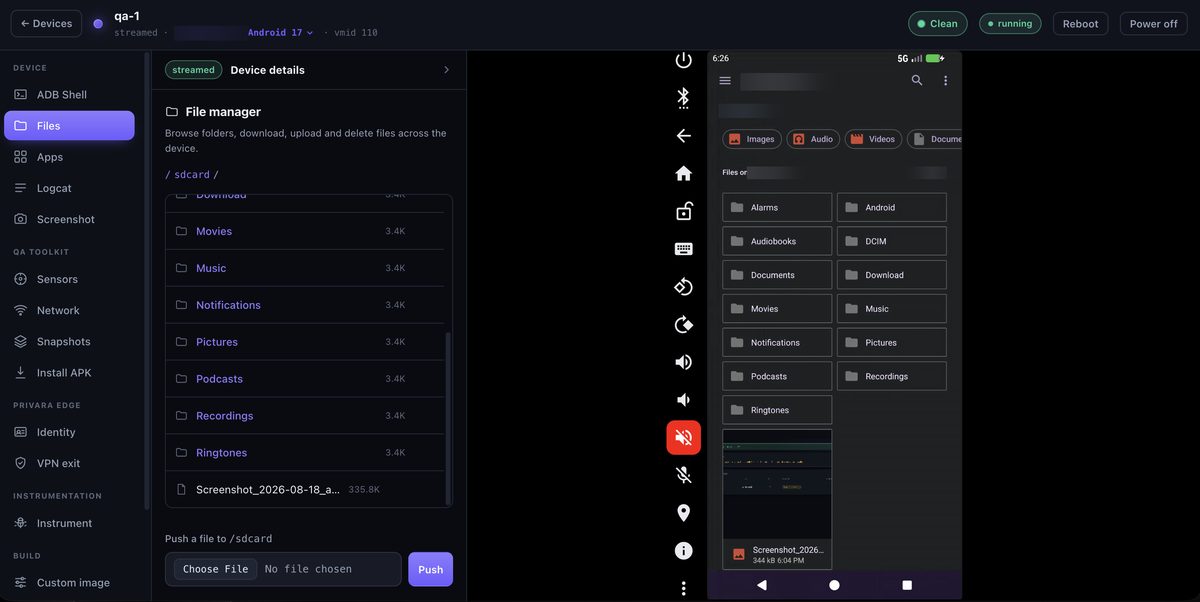
Browse the device like it's on your desk
A full file manager for the device filesystem: navigate folders, download artifacts, upload test fixtures and delete files — all from the browser. Push a dataset before a run, pull a crash log or captured file after it, and manage app storage without hand-typing adb. Handy for QA fixtures, malware sample handling, and evidence collection.
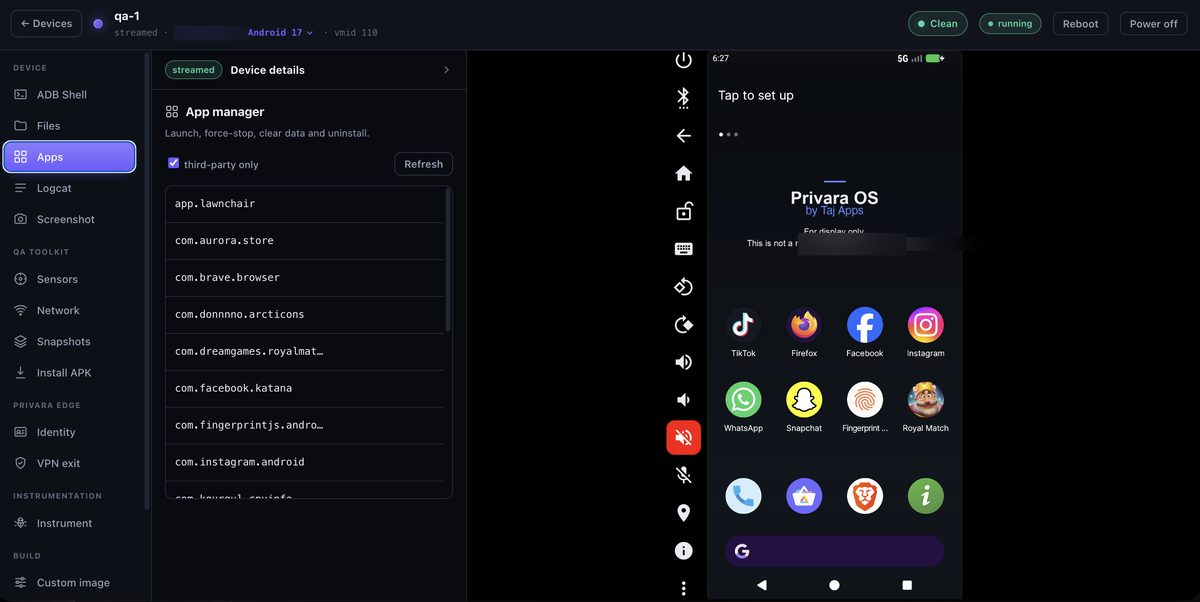
Command every app in seconds
List installed packages and launch, force-stop, clear data, or uninstall any of them in a click. Reset an app to first-run state between test cases, kill a misbehaving process, or wipe data to reproduce an onboarding flow — the app-layer control QA and security teams reach for constantly.
Live logs, streaming to your browser
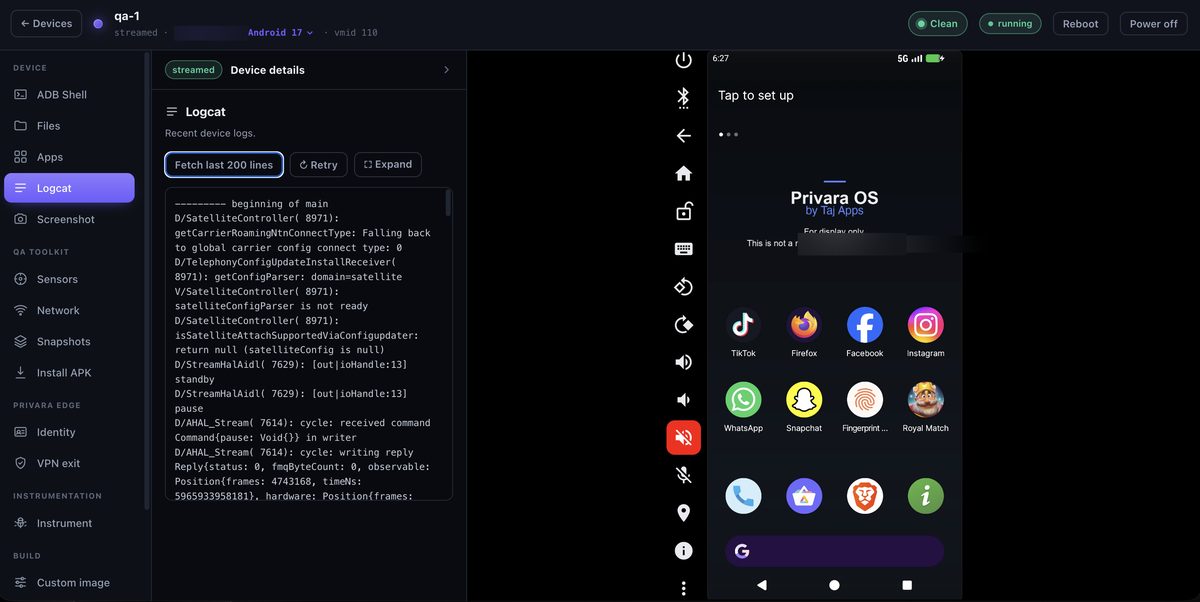
Real-time logcat streamed straight to the console, so you see exactly what a build is doing as it happens — crashes, ANRs, network calls, and the tell-tale lines detection SDKs leave behind. Watch a flow live, or capture the output for a bug report or a security finding.
Capture and keep every screen
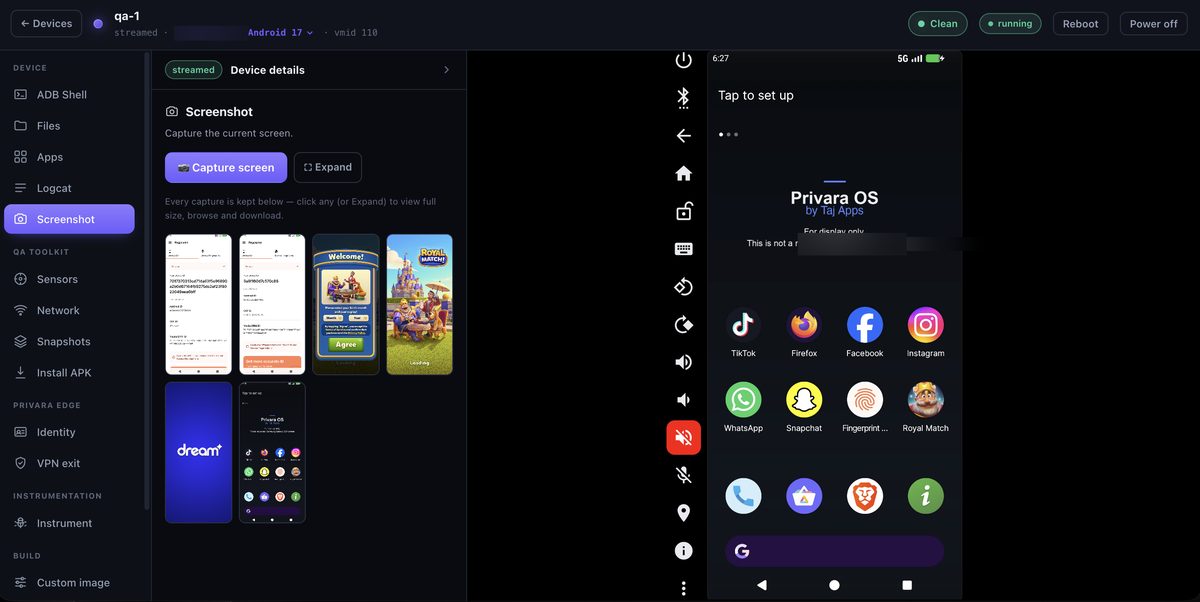
Take a screenshot of the live device with one click and it's saved to your captures library automatically. Build a visual trail for a QA report, document a repro, or attach evidence to a pentest finding — every capture kept and downloadable, with no manual saving.
Reproduce the real world, then reset it
Simulate the real world
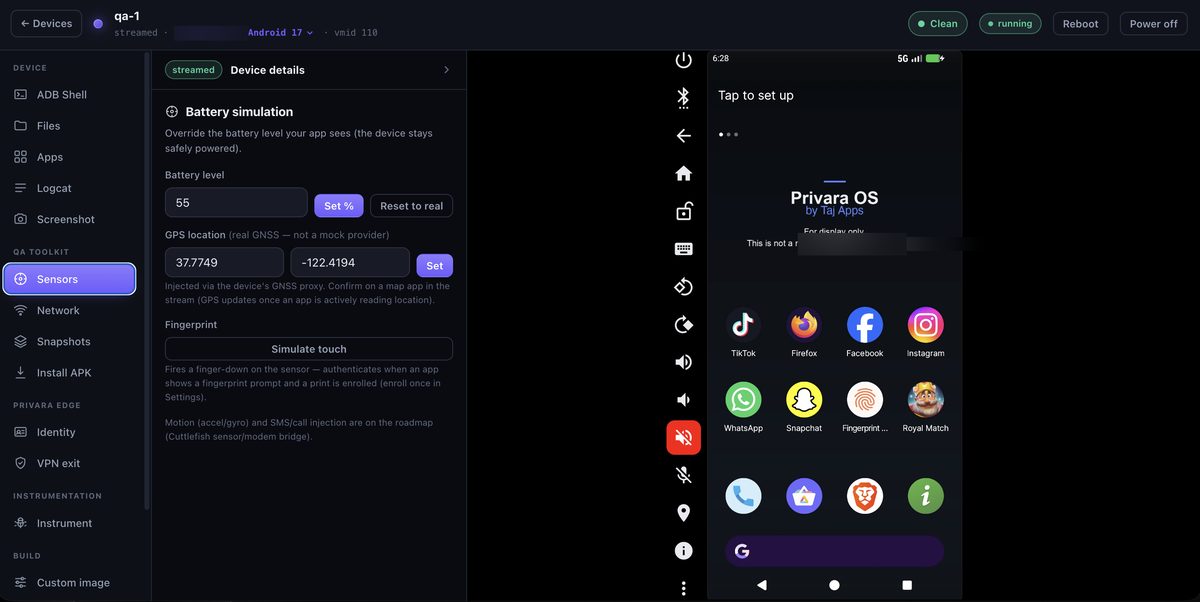
Feed the device real-world signals: GPS location, motion (accelerometer, gyroscope, magnetometer), battery level, network type, incoming SMS and calls, and fingerprint. Test location-gated features, prove your app behaves on a moving device or a draining battery, and drive the sensor-dependent paths a static emulator can never reach — with live sensor jitter so it reads as held by a human, not a dead constant.
Shape the network at will
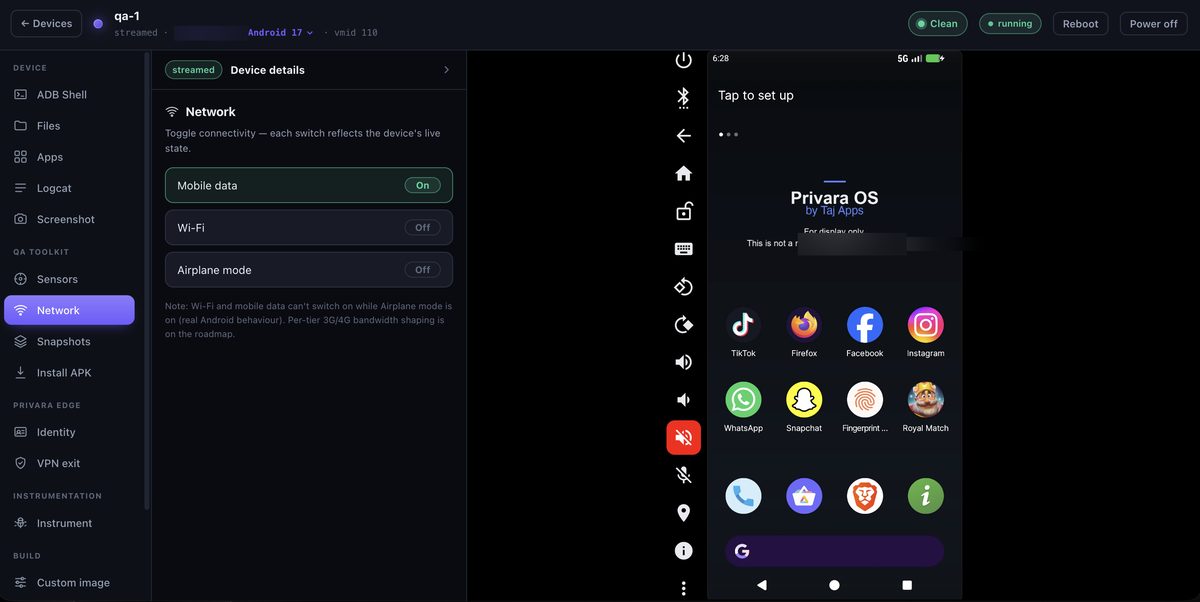
Throttle connectivity, switch network type, or drop the device offline to prove your app survives weak signal, flaky mobile data and airplane mode. The real-world conditions your users hit every day — and the ones that surface the ugliest bugs — reproduced on demand.
Save state. Reset in an instant.
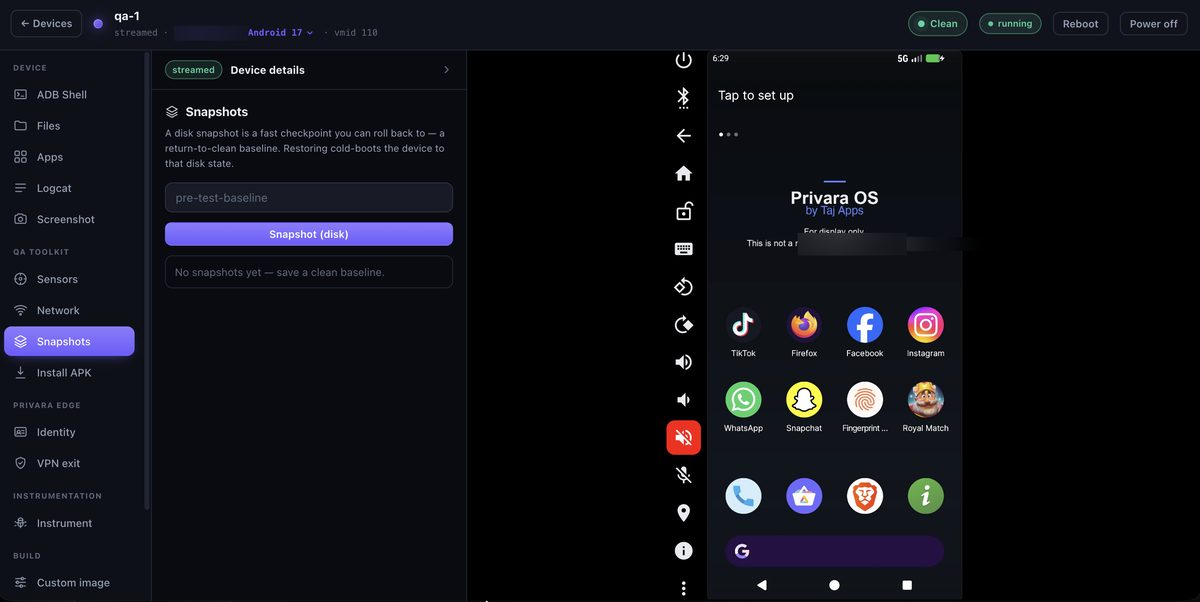
Snapshot a device's full state, restore it in seconds, or clone it to branch a test. Every run starts from a pristine, identical baseline — no residue from the last test, no manual re-setup. For malware analysis it's the killer feature: detonate a sample, collect, roll back to clean, move to the next one.
Ship your build to a whole fleet
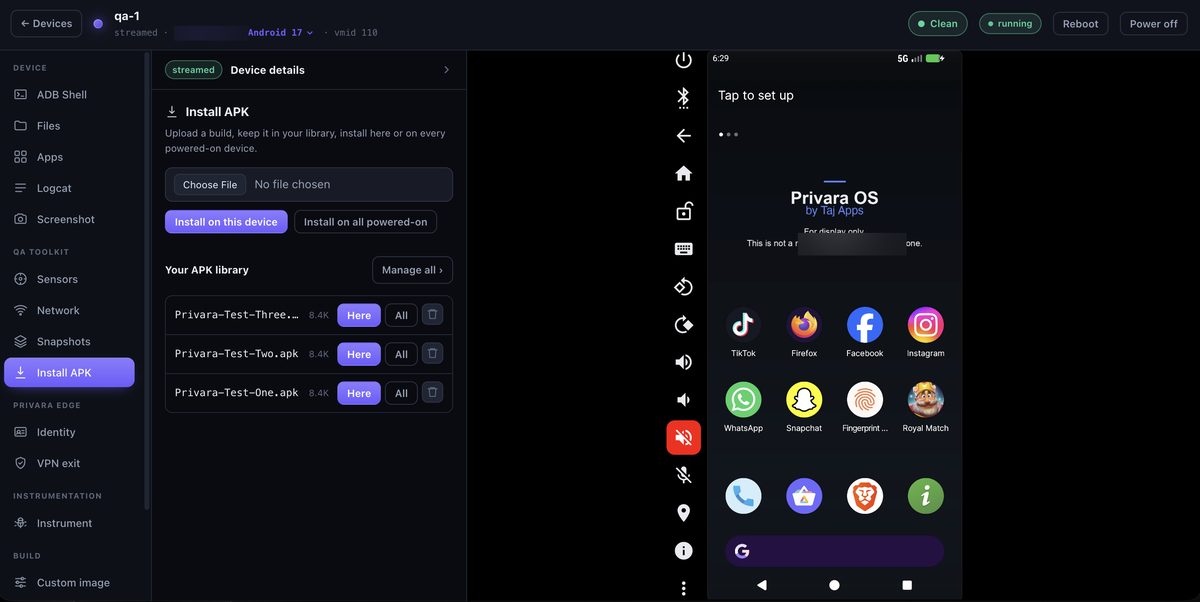
Upload your APK once and keep it in a per-account library, then install it on one device — or on every powered-on device at the same time. Push a new build across a test fleet in a click, re-test after a fix, or stage a specific version for a repro. No re-uploading, no per-device fiddling.
The two controls no other cloud Android ships
A brand-new device, on demand
Rotate the device's identity live — serial, Android ID, IMEI and advertising ID — while model and OS stay coherent, so every session presents as a genuinely unique, brand-new handset. Test device-bound logic, fresh-install funnels and multi-device scenarios without a rack of phones.
Neither Genymotion nor Corellium does this out of the box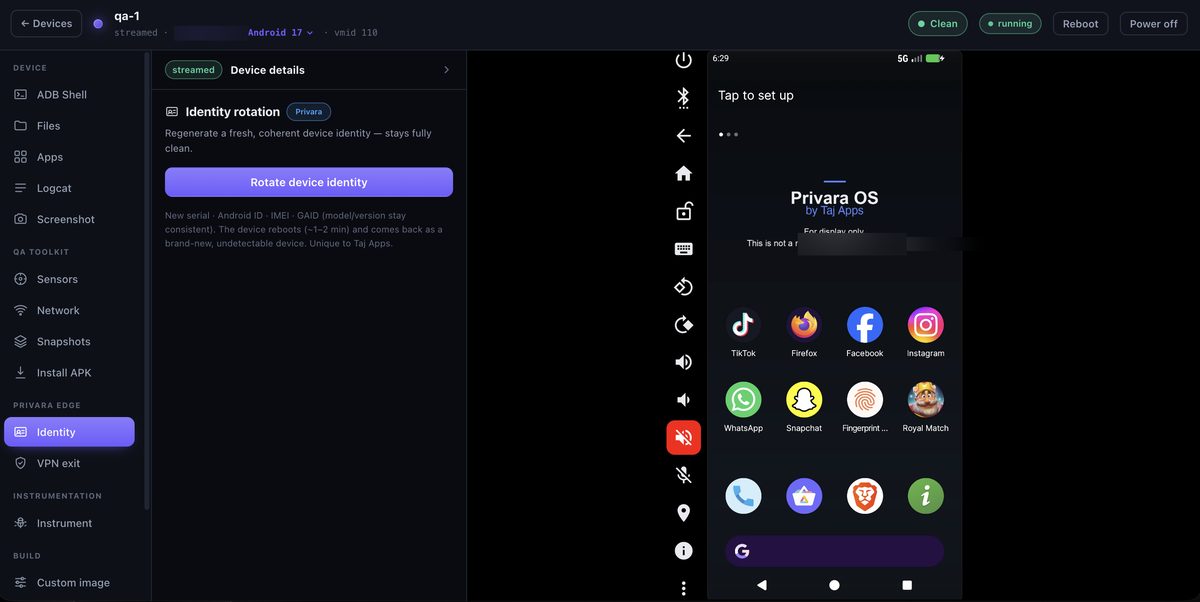
Exit from anywhere you need
Route the phone's traffic through your own VPN — a residential IP, a specific region, or your corporate network — so the device egresses exactly where your test requires. Reproduce geo-gated behaviour, test region-specific content, and match the real-world network conditions your users are on.
Uniquely ours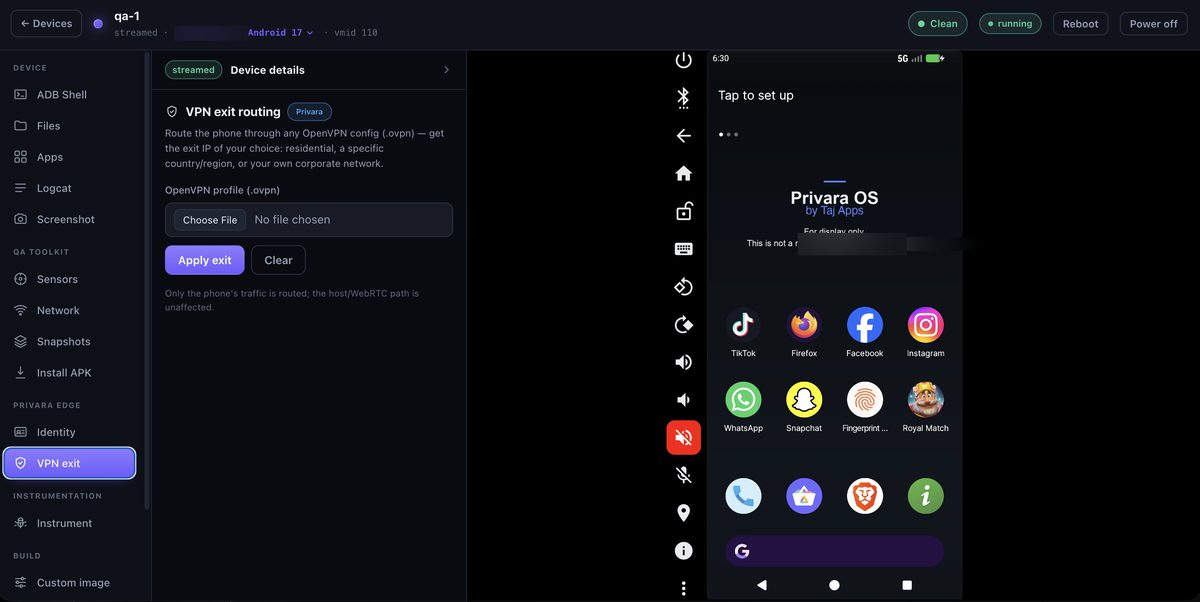
Go deeper when a black box isn't enough
Hook, trace and capture traffic
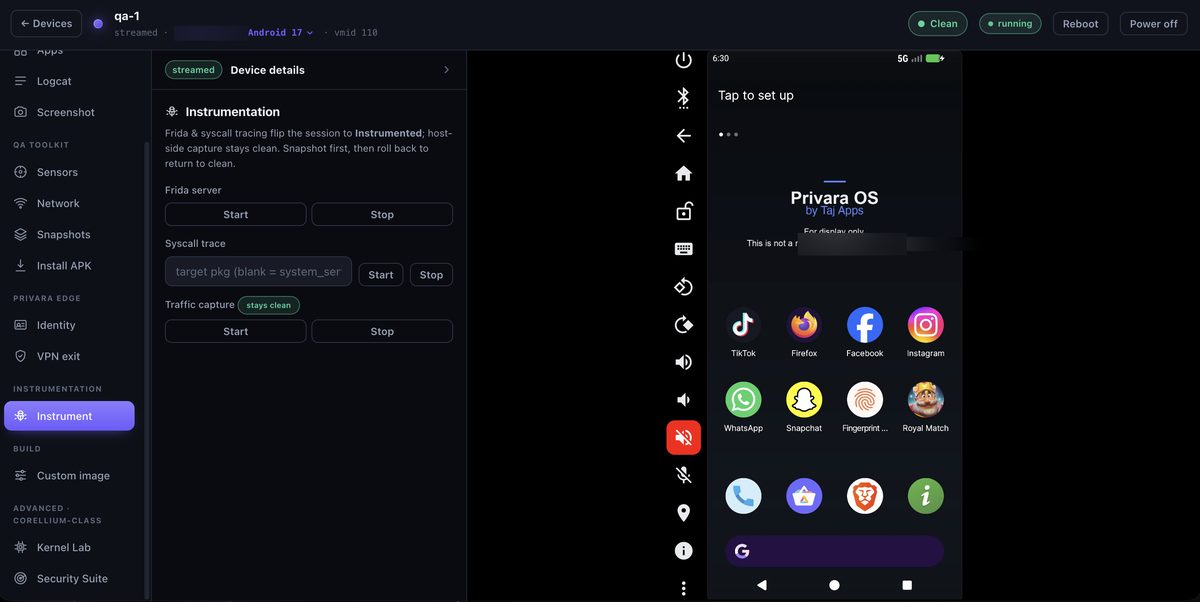
Attach runtime instrumentation — hook functions, trace behaviour, and capture traffic — the power tools security teams live in. Understand exactly how an app or a sample behaves at runtime, with root available for instrumentation but hidden from the target. Sessions that use it are clearly marked, so a clean run stays provably clean.
Coming to the console
In active development. If any of these are on your critical path, tell us — we prioritise by demand.
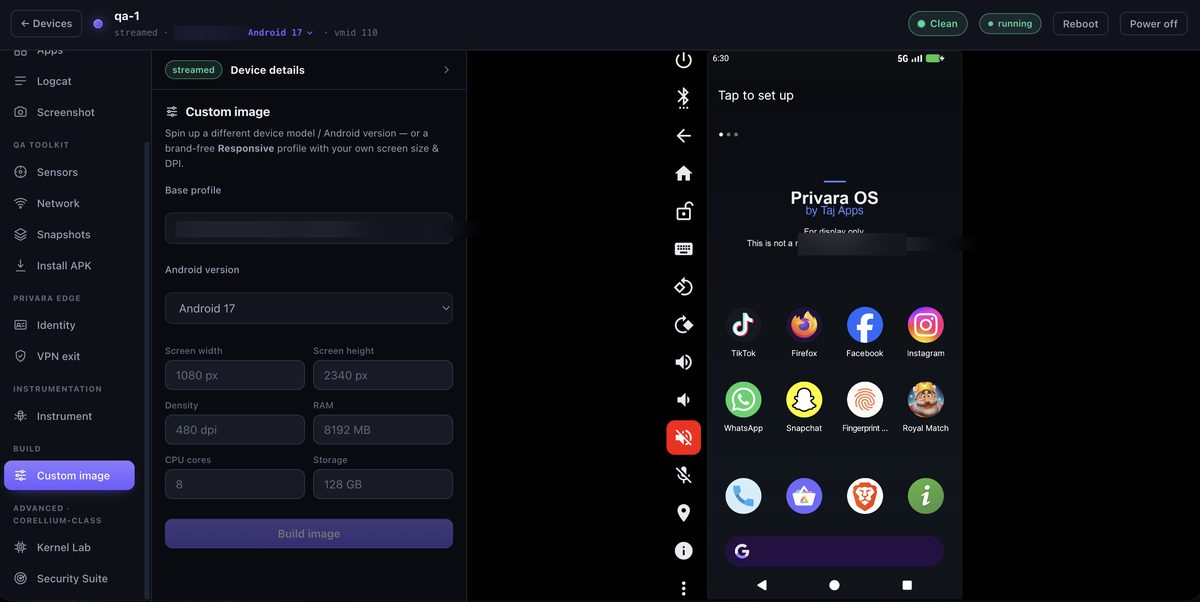
Custom image
Build any target — pick a device model and Android version, or a brand-free profile with your own screen size, DPI, RAM and cores.
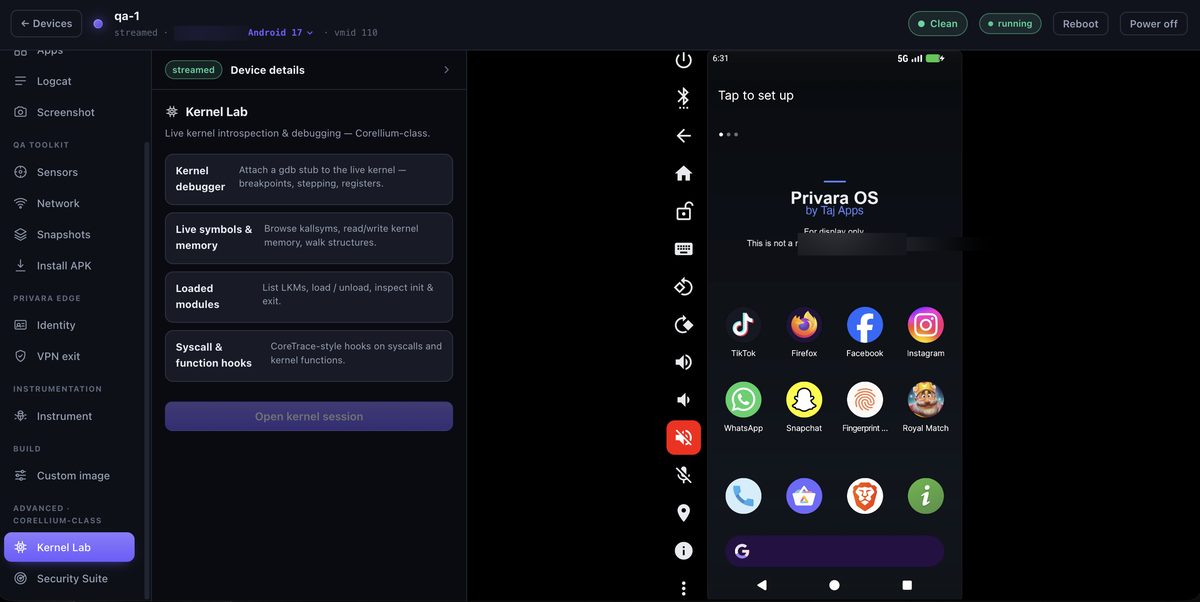
Kernel Lab
Live kernel introspection and debugging — the deep, Corellium-class visibility, brought into the same browser console.
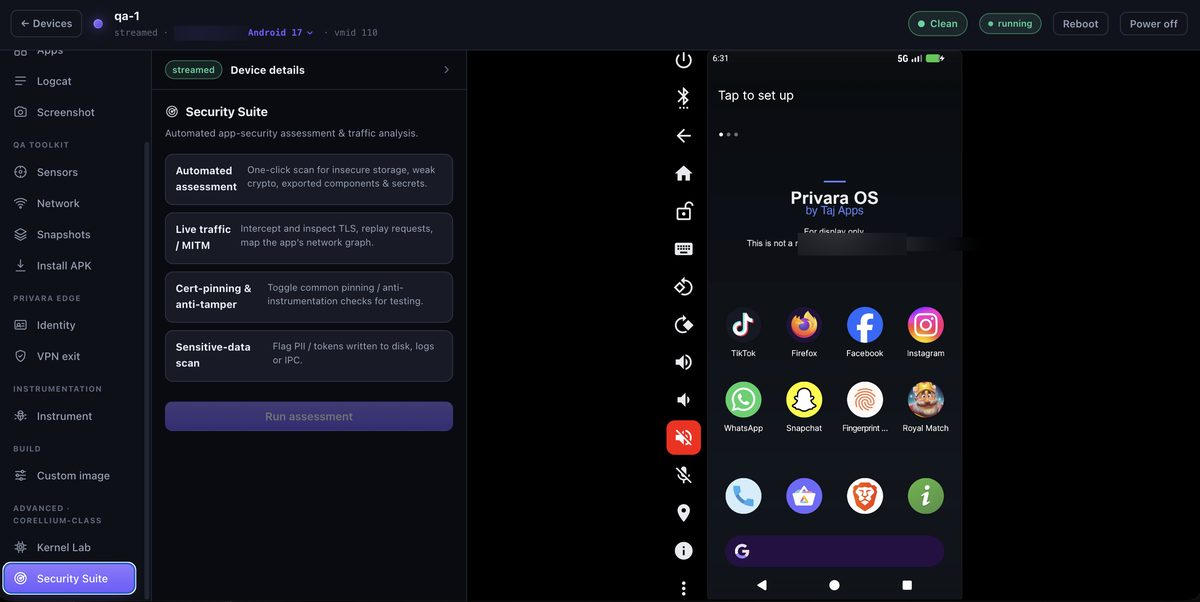
Security Suite
One-click automated app-security assessment and live traffic analysis, built into the device you're already testing on.
Honest limits
Everything above is software running on a de-emulated x86 device. That's what makes it cheap, fast and undetectable to the software checks the vast majority of apps use — but it means Privara does not satisfy hardware-backed attestation (the strong Play Integrity verdict), which needs a physical secure element no virtual machine has. Apps that hard-require that need a real device. For the far more common case — apps and samples that simply refuse to run on an emulator — this console is the cost-effective answer.